


A more localized experience for Dutch-speaking users.Dutch Roleplay options have been expanded from a single setting to two distinct regional variations: Dutch (Netherlands) and Dutch (Belgium). Users can now select the version that matches their market for a more accurate, natural-sounding experience.
Create content faster — no more waiting between slides.Narrating a slide deck used to mean pausing after each slide while your audio or video upload processed. That wait is gone. Uploads and processing now happen in the background, so you can move straight to the next slide without interruption, making the whole content creation process significantly faster.
Know where you stand in every course and curriculum.Course and curriculum detail pages have been upgraded from a modal to a dedicated page — bringing comments, ratings, and attachments directly into view without hiding them behind tabs.Completion criteria is now prominently displayed on both detail pages and within curriculums, so learners always know what's left to finish.A new Next button keeps momentum going between activities, and all pages are fully optimized for mobile. Learning | Tier 2
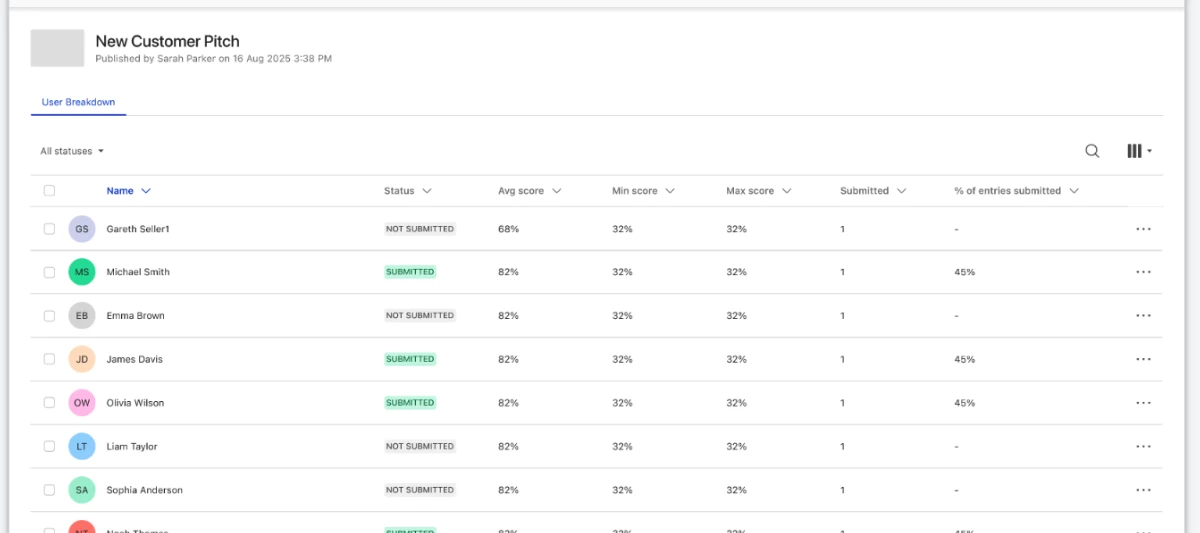
See what needs your attention — at a glance.The Coaching tabs have been redesigned with:a cleaner layout: activity icons, participant thumbnails, and a refined information structure make it easier to scan your workload quickly. A new "To Do" carousel highlights unsubmitted activities so nothing slips through. An updated tab order to put your active work first — the "All Activities" admin tab moves to the far right.Admins also get a new control to restrict audio and video downloads for Roleplay recordings when needed. Coaching | Tier 2
Record yourself. Get feedback that actually matters.Presence matters on every sales call — but coaching on non-verbal communication has always been hard to scale. That changes with the new video Roleplay type: participants record themselves, so reviewers can give feedback on eye contact, body language, and delivery — not just what was said. Two other updates make the recording experience better from the start:a new "Are you ready?" screen replaces the automatic countdown, giving you time to preview and adjust your camera or mic before recording begins. Blurred backgrounds — previously unavailable in Roleplays — are now supported across all Coaching activities and courses, so you always look professional on camera. Coaching | Tier 2
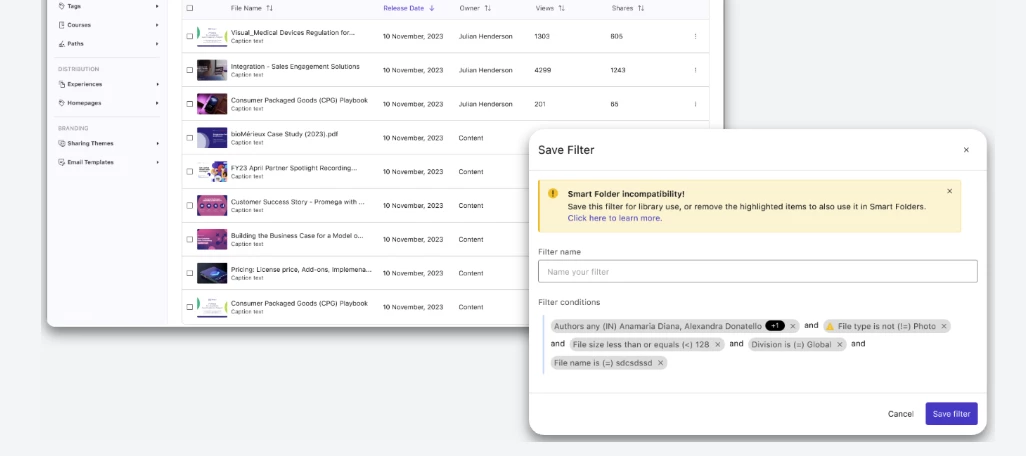
Govern vast, complex content libraries with ease. ShowQL enhancements simplify how you monitor and organize content at scale with the ability to create, save, and edit your own custom filters. Ensure consistent content management. Leverage a centralized filtering engine across the entire Showpad platform, making it easier to find and manage specific types of content on a regular basis. Locate and eliminate content clutter. Use "negation" to narrow down content that doesn’t fall within an existing filter (e.g., assets that are "not part of an Experience"). Find best and worst performing content. Sort tables on any of the available columns, including engagement metrics like Buyer Interest. Available to customers on:Legacy packaging: All customers eOS packaging: All customers
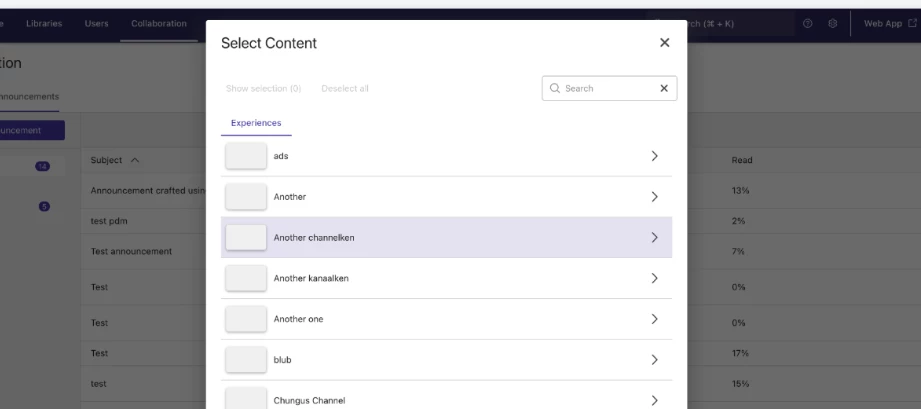
Quickly surface and promote the right sales assets to distributed sales teams. The Web App Content Picker for Announcements & Spotlights makes it easier to find and feature high-impact assets using advanced search and channel filters. Streamline content distribution workflows. Use advanced search and channel filters to find and promote content in seconds rather than digging through folders. Target announcements to the right audience. Reduce the time it takes to share relevant product or regional updates and assets with specific teams. Ensure content integrity. Link only to valid, experience-based assets, ensuring sellers never see broken or outdated files. Available to customers on:Legacy packaging: All customers eOS packaging: All customers
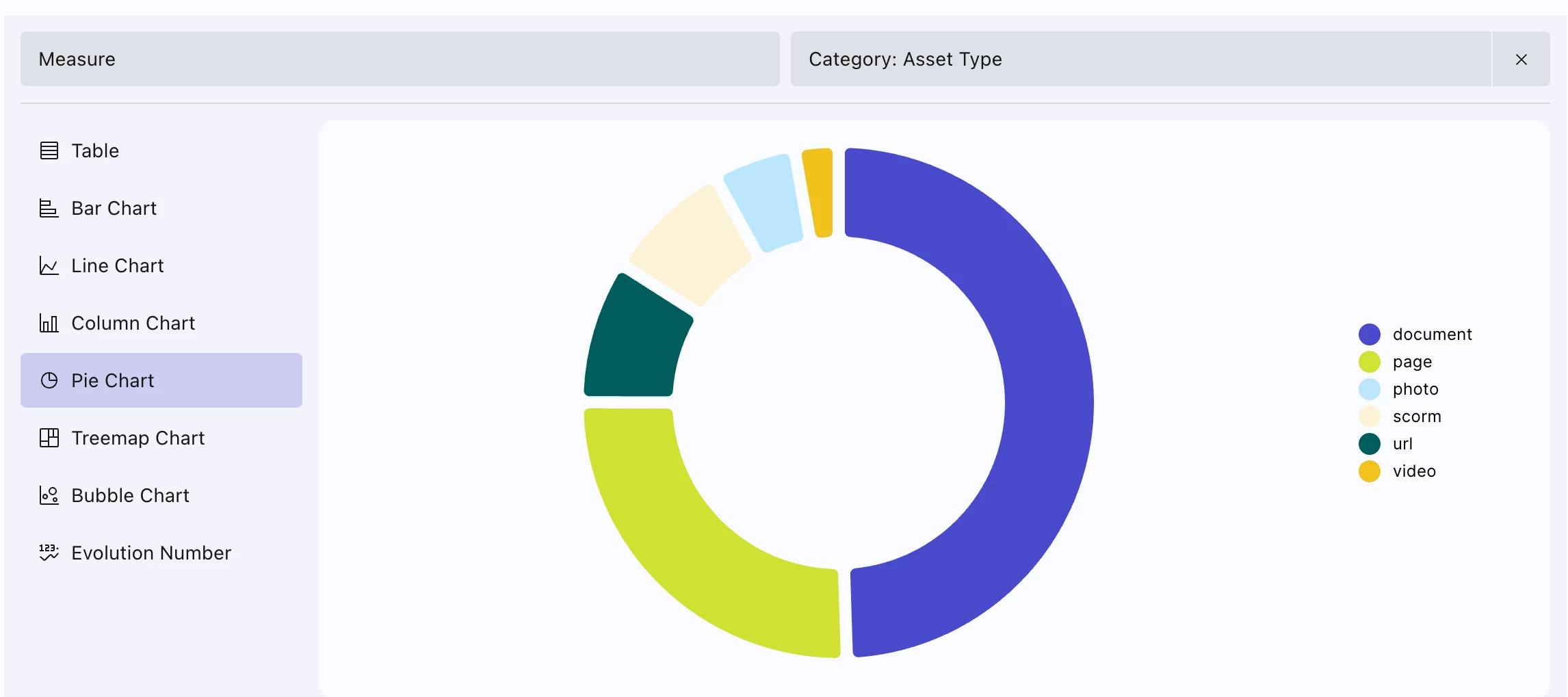
User Engagement Visualize sales team adoption your way. With User Engagement data available in the Report Builder, you can create custom, high-flexibility reports to uncover the activity of your best- and worst-performing sellers. Tailor insights to your business. Answer your unique organizational questions about teams and individual users rather than relying on one-size-fits-all reporting. Bring performance trends to life. Use chart templates to instantly visualize critical insights to inform strategy. Streamline reporting workflows. Reduce dependencies on manual data manipulation in external tools by pinpointing the exact user engagement data you need in a few clicks. Promoted Member Access Empower decentralized teams to make data-driven decisions. Grant local leaders access to create, save, and schedule their own reports to optimize their strategies without reliance on central admins to provide insights. Accelerate decision-making. Give regional teams access to powerful insights on demand so they can scale what works and fix what doesn’t. Optimize your entire content library. Drive accountability for content owners to make continuous improvements by allowing them to see exactly how their assets are performing. Deliver more proactive training and coaching. Support leaders in identifying and solving skill gaps in their teams faster by removing global admins as a bottleneck to insights. Additional Asset Engagement Data Points Unlock deeper granularity into content performance. Quickly build custom reports on specific types of assets to understand where and how they are shared. Uncover granular engagement. Easily access user-level data on assets to identify exactly how individual team members are engaging with and sharing content. Understand buyer reach. Identify the exact number of recipients across shared assets to measure the true scale of your content's impact through the sales cycle. Target platform performance. Ensure your sales plays are performing across all communication channels with comparisons of the Web App vs. the iOS app and Gmail vs. Outlook shares. Available to customers on:Legacy packaging: All customers eOS packaging: All customers Note: The existing User Engagement report in Analytics will be sunset later in 2026 and fully replaced by the User Engagement report builder. Admins will see an in-app warning regarding deprecation.
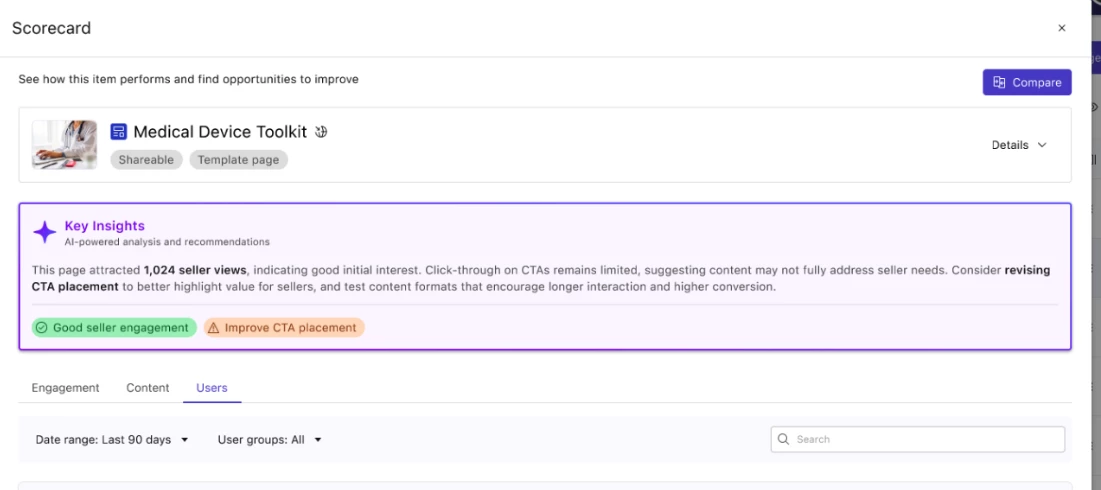
Prove Page ROI and Maximize Engagement. Page insights allows you to instantly view, analyze, and compare the performance of your Showpad Pages from within your content libraries. Visualize the business impact of your Pages. Easily view trends over time to demonstrate how sellers use your internal Pages and how buyers consume Pages shared with them. Optimize content lifecycle. Identify which specific assets within a Page are resonating to make data-driven tweaks that maximize engagement. Scale Page quality. Compare up to four different Pages side-by-side to define what "good" looks like and replicate the best-performing layouts across your organization. Available to customers on:Legacy packaging: All customers eOS packaging: All customers Note: Engagement tracking for content on Pages began September 19, 2025; data prior to this date is not included. Comparison features are available for up to four pages simultaneously.
Scale consistent, high-impact coaching across complex organizations. AI Roleplay enables admins and managers to create tailored sales simulations at scale, using Genie Assistant to instantly turn existing content into realistic practice scenarios.Accelerate content application. Use Genie Assistant to transform whitepapers and technical docs into comprehensive roleplay scenarios in seconds, ensuring simulations always reflect your latest brand messaging. Empower localized agility. Remove bottlenecks by giving division-level leaders the autonomy to build and deploy region-specific practice sessions that use local case studies and address unique market objections. Prove team readiness. Gain clear visibility into performance with "My Team" dashboards and video recordings, allowing managers to identify specific skill gaps and provide data-backed coaching before the actual meeting. Available to customers on:Legacy packaging: Advanced & Expert AI Bundle (add on)eOS packaging: Advanced & Expert AI Bundle (add on) Note: This feature requires a new data sub-processor agreement. Data residency and processing are US-based only.
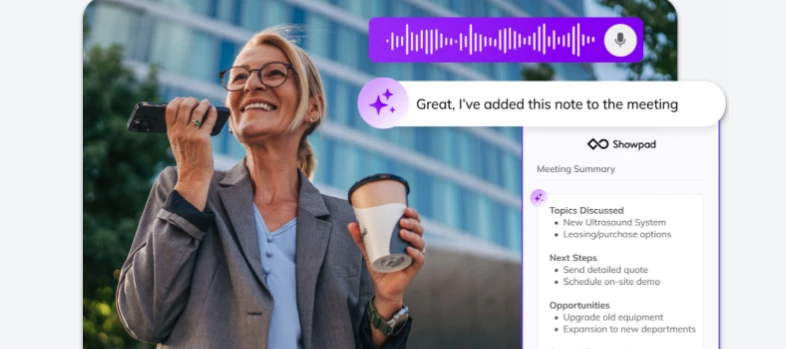
Transform conversations in the field into actionable intelligence. Field Meeting Agent instantly converts what was said and presented during in-person meetings into structured summaries, CRM updates, and follow-up emails. Maximize selling time. Save sellers five hours of busywork per week to meet with more customers by automating manual note-taking and follow-up admin. Eliminate forecasting blind spots. Get near real-time visibility into pipeline reality by having field activities organized into structured, high-quality data in your CRM. Unlock critical insights. Adapt your strategy to market changes faster by better capturing competitor intelligence and technical nuances that usually stay trapped in a seller’s head. Available to all customers on:Legacy packaging: Expert AI Bundle (add on)eOS packaging: Expert AI Bundle (add on) Note: This feature requires a new data sub-processor agreement. Data residency and processing are US-based only. This release is optimized for the iOS mobile workflow and currently supports Salesforce as the exclusive CRM integration.
Fast-track the work that wins. Genie Assistant is every seller’s personal expert AI companion. Simply by chatting with secure, governed AI agents, sellers get trusted answers and complete deal-winning tasks in seconds. Accelerate seller performance. Turn every seller into an instant expert with on-demand support to answer complex buyer questions and handle objections with confidence. Reduce sales cycles. Make sure buyers always get fast responses with personalized follow-ups, Shared Spaces, and Collections generated in seconds. Maximize content ROI & message compliance. Activate your entire content library, serving the perfect, customer-safe answers and assets to sellers in the moments that matter. Available to all customers on:Legacy packaging: All packages AI Bundle (add on)eOS packaging: All packages AI Bundle (add on)
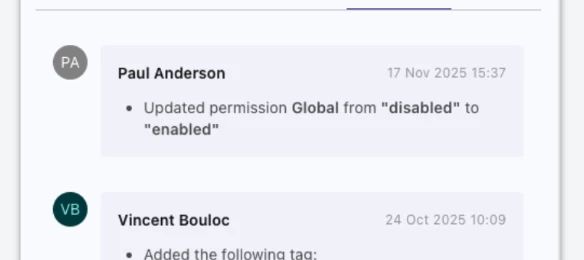
Guarantee transparency and accountability over critical sales assets. The Audit Log provides a real-time, centralized history of who changed what, when, and how (including API updates) directly within the Asset Detail Panel. Ensure regulatory compliance. Meet strict compliance and legal requirements with an indisputable trail of every modification. Maintain a "single source of truth". Instantly investigate unexpected changes or removals to eliminate operational guesswork when trying to trace back changes. Demonstrate sophisticated data integrity. Demonstrate enterprise-grade workflows to key security-conscious stakeholders and external auditors. Available to customers on:Legacy packaging: All customers eOS packaging: All customers
Please create your account with your professional email address. Don't forget to confirm your email address before getting started!
No account yet? Create an account
Enter your E-mail address. We'll send you an e-mail with instructions to reset your password.